Kinelux
Beta
Kinelux
Beta
Kinelux
Beta
Kinelux
Beta
Hours of rushes from cameras started by hand, which agree neither on the time nor on the colour. RushTag logs what is in them, shot by shot. Synchromatic lines them up by their sound. LumaSync matches their colour. Three tools for the same shoot, and your rushes never leave your Mac.
Try it on your own footage for as long as you like. The measured values and XML export are what a licence unlocks. One-off purchase, no subscription.
Requirements · macOS 12 Monterey or later, Apple Silicon. Synchromatic and LumaSync need nothing else, everything ships inside the app. RushTag needs macOS 13.5 Ventura or later, and downloads its analysis models once, about 5.5 GB.
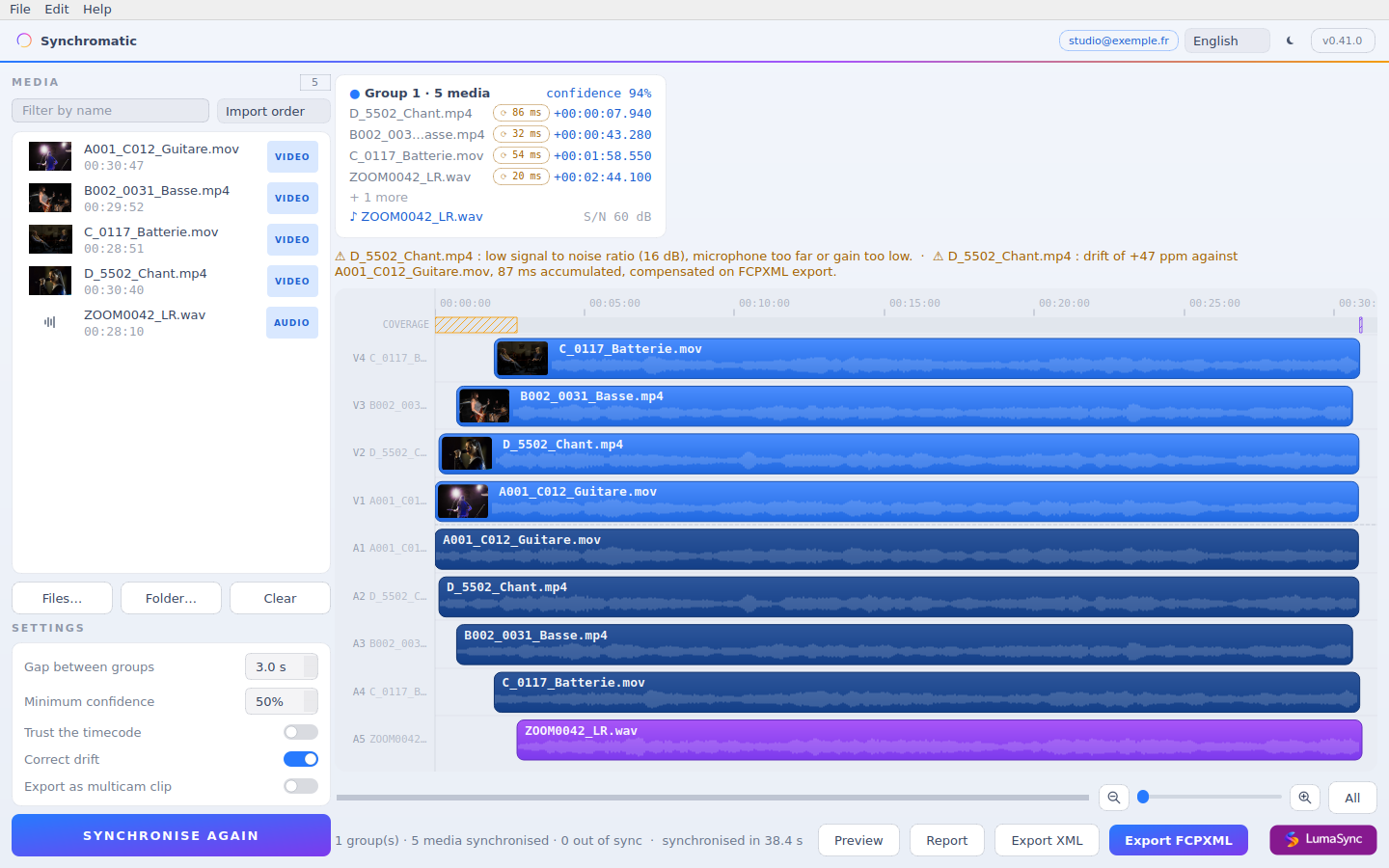
A four-camera concert plus a recorder, after one pass. Every clip placed, drift measured per source, ready to export.
RushTag
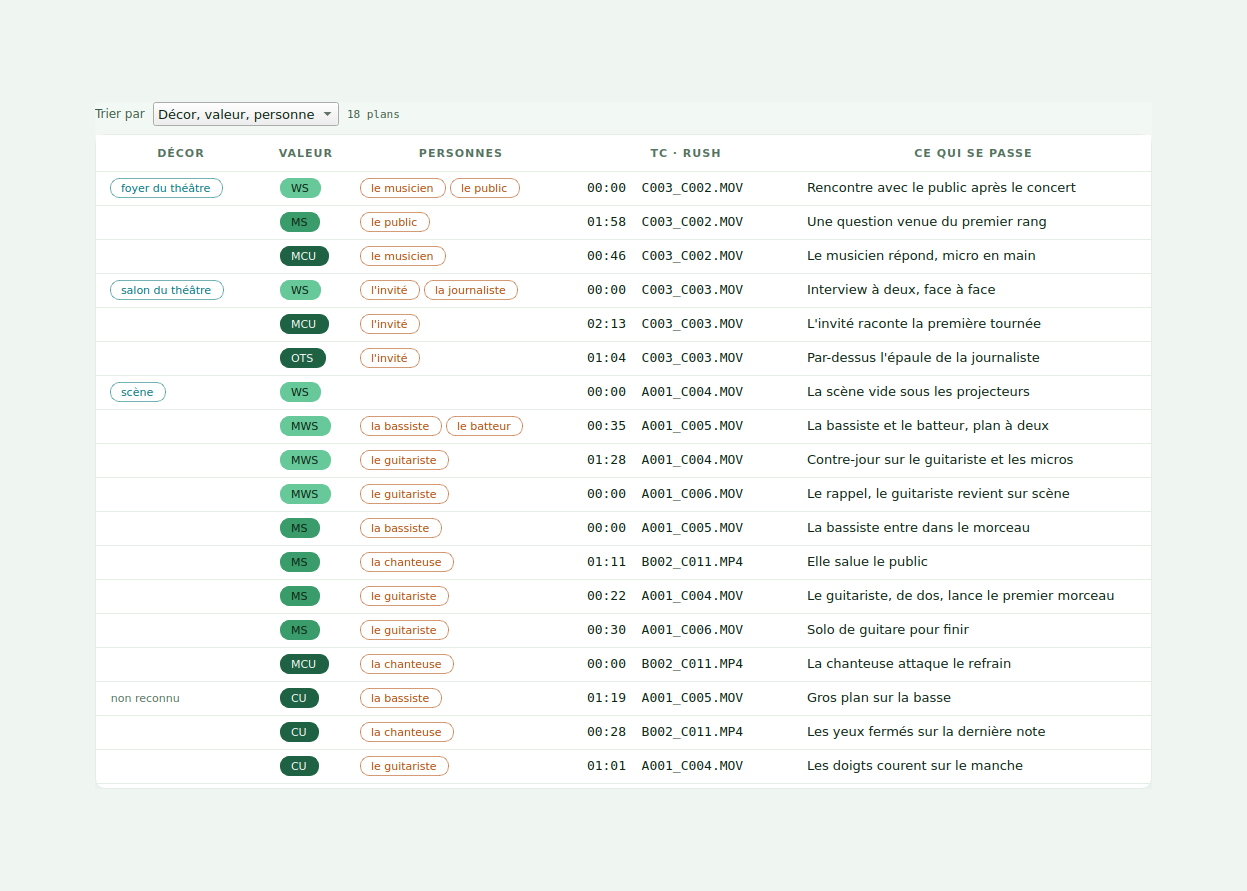
RushTag watches and listens to your rushes, cuts them into shots and notes for each one the setting, the shot size, who is there and what happens. Sort them like a breakdown, and send it all into Premiere Pro or Resolve: bins by camera and by tag, a marker on every shot.
What RushTag doesRushTag's interface is in French for now.
Synchromatic
Drop in your camera files and your recorders. The sound says what was filmed together, clock drift is measured per source, and the timeline is exported for Final Cut, Premiere Pro and DaVinci Resolve. No timecode needed.
What Synchromatic does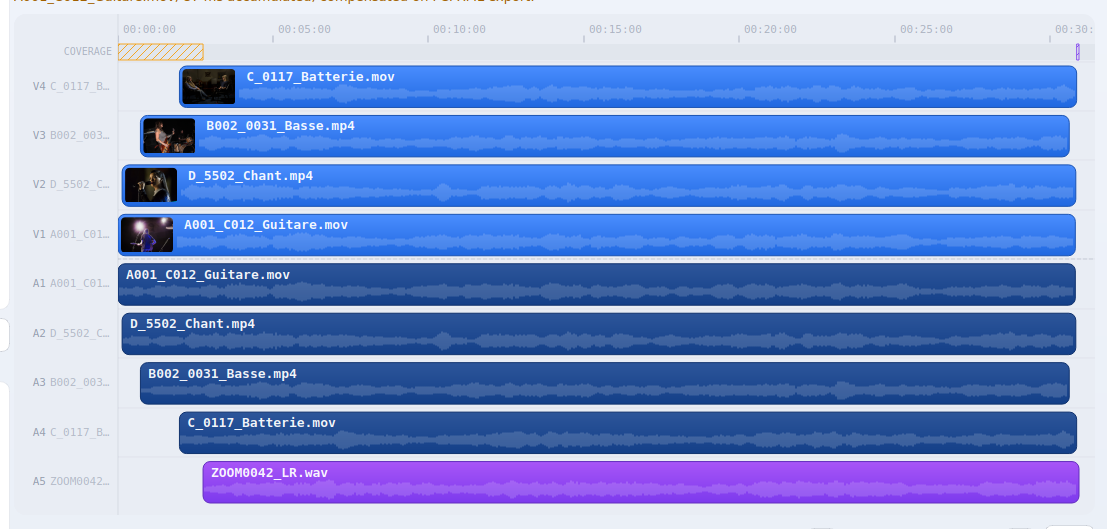
LumaSync
Two cameras filmed the same light and did not record the same picture. LumaSync compares them at the same instant of the shoot, measures what separates them, and exports a 3D LUT that brings them together. What is left between the two images is the camera, not two different moments.
What LumaSync does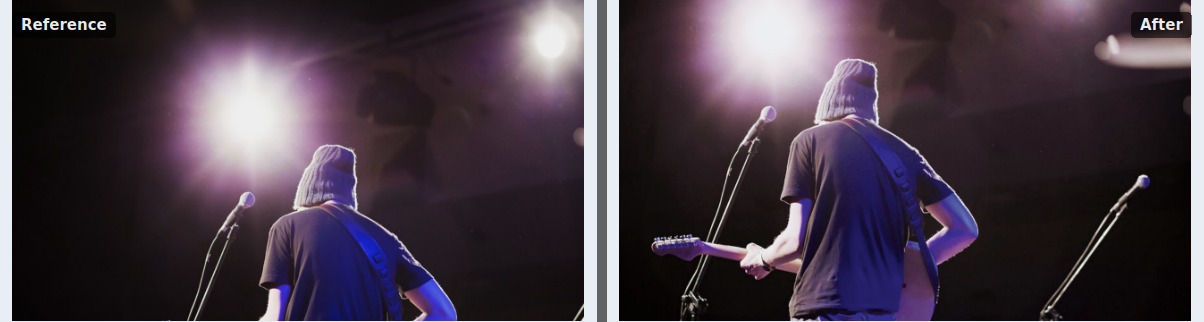
Five clocks that do not agree. That is the moment Synchromatic untangles.
Where it lands
RushTag and Synchromatic write the XML your editing software already reads, LumaSync a LUT it already applies. Your source files are never touched: you import a file that points at them. And for Premiere Pro and DaVinci Resolve, plug-ins do the trip from inside, installed in one click from Kinelux.
Final Cut ProAdobe Premiere ProDaVinci ResolveFCPXMLXML FCP7
Pricing
One payment, no subscription, no per-project fee. Works on every Mac you own. Every update is free up to version 2.
The suite
All three tools: sort your rushes, line up your cameras, match their colours. One key, and one window everything opens from.
€9.98 less than buying all three separately.
Buy KineluxOr one tool at a time
Your rushes logged shot by shot: setting, shot size, people, action, and all of it carried into your edit.
The other tools can be added later, for their own price.
Buy RushTagLine up several cameras on the sound they recorded, correct their drift, export to Premiere, Resolve and Final Cut.
The other tools can be added later, for their own price.
Buy SynchromaticMatch the colours of two cameras, with the measurement to back it. It opens on its own: drop your rushes and it lines them up on their sound.
Part of Kinelux, alongside RushTag and Synchromatic. The key appears on the confirmation page, and can be emailed back.
Buy LumaSyncPaid through Stripe. Your key is shown right after payment and emailed on request if you lose it.

After you buy
Saisir ma licence (enter my licence) button at the bottom of the home window opens the field.Lost your key? Enter the address you bought with: we email it back, identical to the first one.
Apple, the Apple logo and macOS are trademarks of Apple Inc. Final Cut Pro is a trademark of Apple Inc. Adobe Premiere Pro is a trademark of Adobe Inc. DaVinci Resolve is a trademark of Blackmagic Design Pty Ltd. Synchromatic is an independent product and is not affiliated with, endorsed by or sponsored by any of them.