Kinelux
Beta
Kinelux
Beta
Kinelux
Beta
Kinelux
Beta
Four cameras and a recorder, all started by hand at different moments. Synchromatic listens to the sound, works out what goes with what, and gives you a timeline that is right to the millisecond, with no timecode, no clapperboard and no internet.
Try it on your own footage for as long as you like. The measured values and XML export are what a licence unlocks. One-off purchase, no subscription.
Requirements · macOS 12 Monterey or later, Apple Silicon. Synchromatic and LumaSync need nothing else, everything ships inside the app. RushTag needs macOS 13.5 Ventura or later, and downloads its analysis models once, about 5.5 GB.
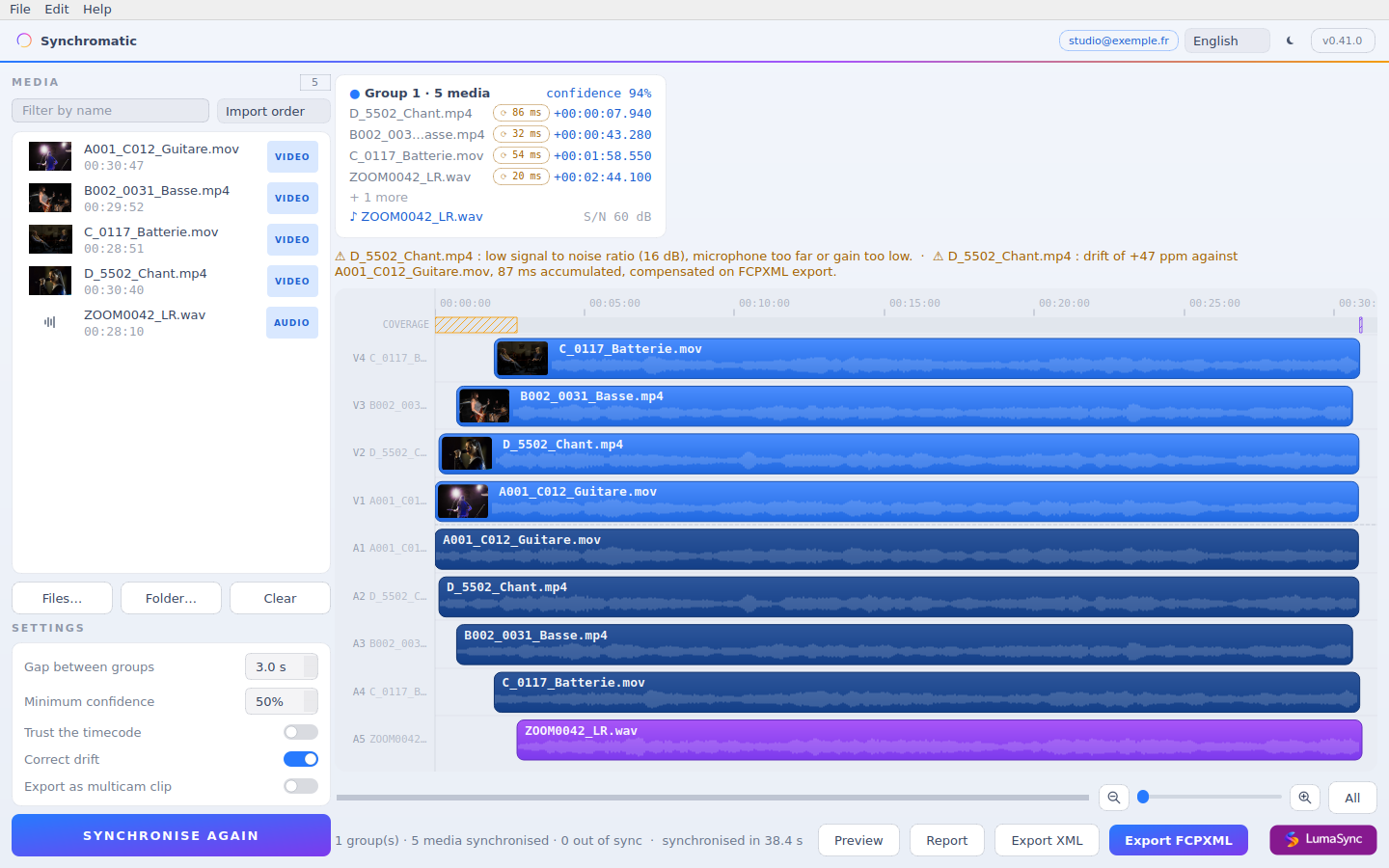
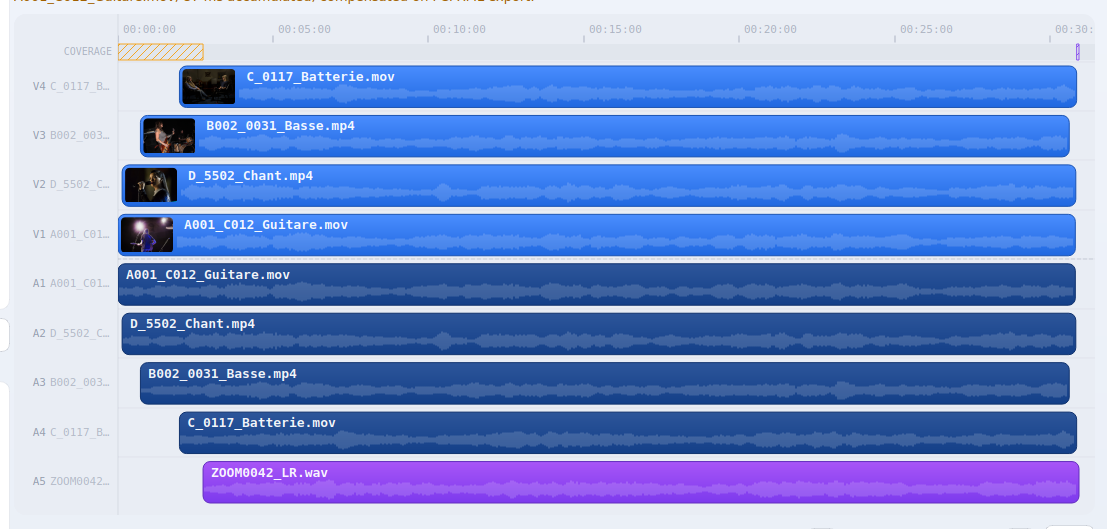
A four-camera concert plus a recorder, after one pass. Every clip placed, drift measured per source, ready to export.
What the result rests on
Waveform correlation is enough. Wrong clock on a camera, mismatched bodies, a phone next to a field recorder: it still lands. Timecode is used as a hint when it is there, and verified against the sound rather than trusted blindly.
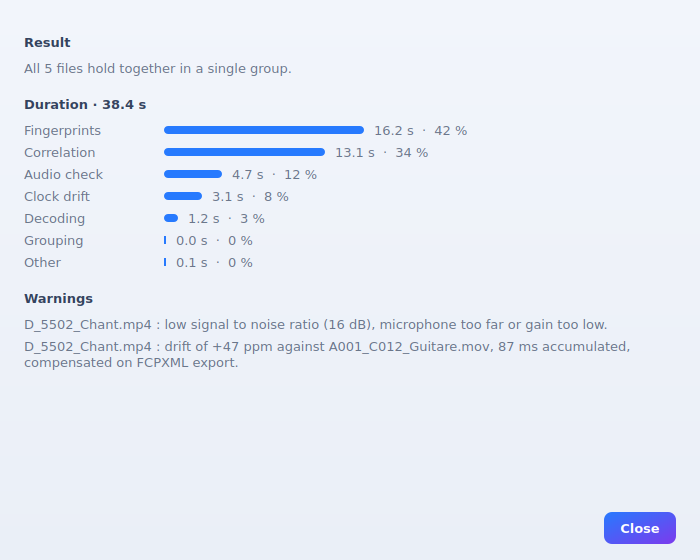
Two devices do not count time the same way. Over an hour, 40 ppm is 145 ms, or three and a half frames at 25 fps, enough to make a dialogue cut feel wrong by the end of the take. Synchromatic measures drift per source and compensates it in the FCPXML timeMap. Your source files are never modified, and you can refuse the correction on any camera.
No upload, no account, no server. The app reads your files where they are and works with the network off. The licence is checked offline against a key embedded in the app. Once entered, it is never asked for again.
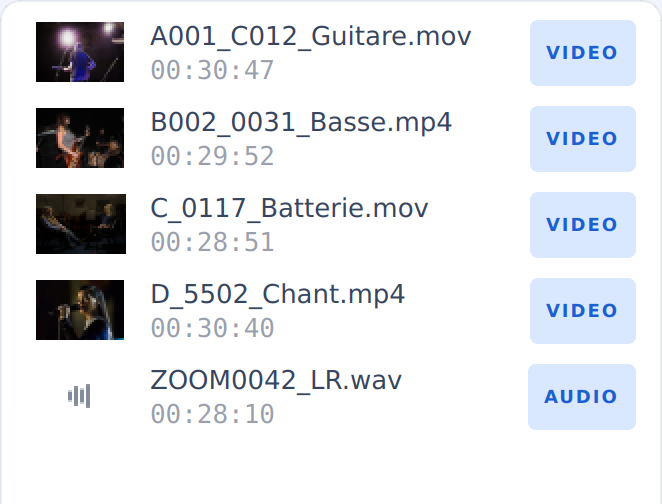
Five clocks that do not agree. That is the moment Synchromatic untangles.
A session
Drop in your rushes and your sound. One folder per camera means one track per camera.
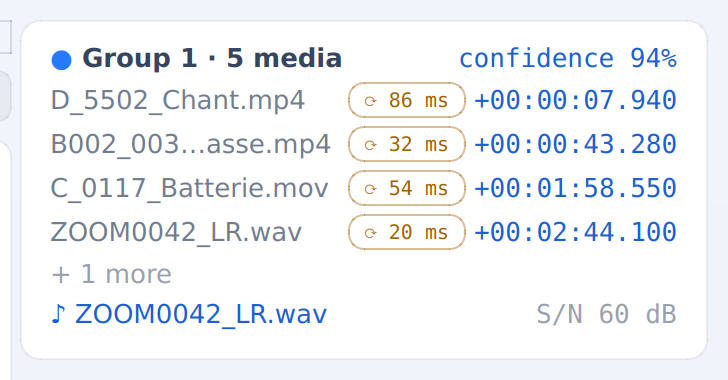
Press Synchronise. The audio is decoded, the envelopes correlated, and each pair scored. You see the confidence, not just a spinner.
Check the timeline, nudge a clip by hand if you disagree, and export FCPXML or FCP7 XML.
Beyond the sync
Clipping, low signal-to-noise, silent ranges: flagged per file, with the best-sounding source of each moment marked. Better than finding out three hours into the edit.
Export as a multicam clip for Final Cut and Resolve, one camera per angle, ready to cut between angles. Or as classic stacked tracks. Your choice, one toggle.
Rushes from the same camera land on the same track, in order, instead of stacking one track per file. A ten-file shoot stays readable.
From your editing software
In Premiere Pro, select your rushes, in the bin or on the timeline, and click. Kinelux syncs them and the sequence comes back into the project, naming every rush that did not line up and the drift it measured.
Picture and sound linked or not. Camera sound kept, muted or removed wherever a recorder was synced. One track per camera, or as few tracks as possible. Sound outside the picture trimmed. The same settings in Synchromatic and in Premiere.
On an interview or a podcast, the camera follows whoever speaks, measured on each voice's microphone. You say who is on which camera and which one is the wide shot, and a cut sequence arrives next to the synced one. With Claude, it can be retouched shot by shot.
The report
Every competitor claims to be frame accurate without ever showing what that rests on. Synchromatic reports the confidence of each match, the time each stage took, the clock drift measured per source in parts per million, and what it could not do. A file with a poor signal to noise ratio is named, so you know before three hours of editing rather than after.
Where it lands
RushTag and Synchromatic write the XML your editing software already reads, LumaSync a LUT it already applies. Your source files are never touched: you import a file that points at them. And for Premiere Pro and DaVinci Resolve, plug-ins do the trip from inside, installed in one click from Kinelux.
Final Cut ProAdobe Premiere ProDaVinci ResolveFCPXMLXML FCP7
€29.99, once
Pricing
One purchase, no subscription, no per-project fee. Works on every Mac you own. Every update is free up to version 2, and if a version 2 comes, you get it at a reduced price.
Paid through Stripe. Your key is shown right after payment and emailed on request if you lose it.

After you buy
Saisir ma licence (enter my licence) button at the bottom of the home window opens the field.Lost your key? Enter the address you bought with: we email it back, identical to the first one.
Apple, the Apple logo and macOS are trademarks of Apple Inc. Final Cut Pro is a trademark of Apple Inc. Adobe Premiere Pro is a trademark of Adobe Inc. DaVinci Resolve is a trademark of Blackmagic Design Pty Ltd. Synchromatic is an independent product and is not affiliated with, endorsed by or sponsored by any of them.