 Kinelux
Beta
Kinelux
Beta
Kinelux
Beta
Kinelux
Beta
RushTag watches and listens to your rushes on your Mac, cuts them into shots and notes, for each one, where it takes place, how wide it is, who is in it and what happens. The logging an assistant would do, ready before the edit begins.
The other tools can be added later, for their own price.
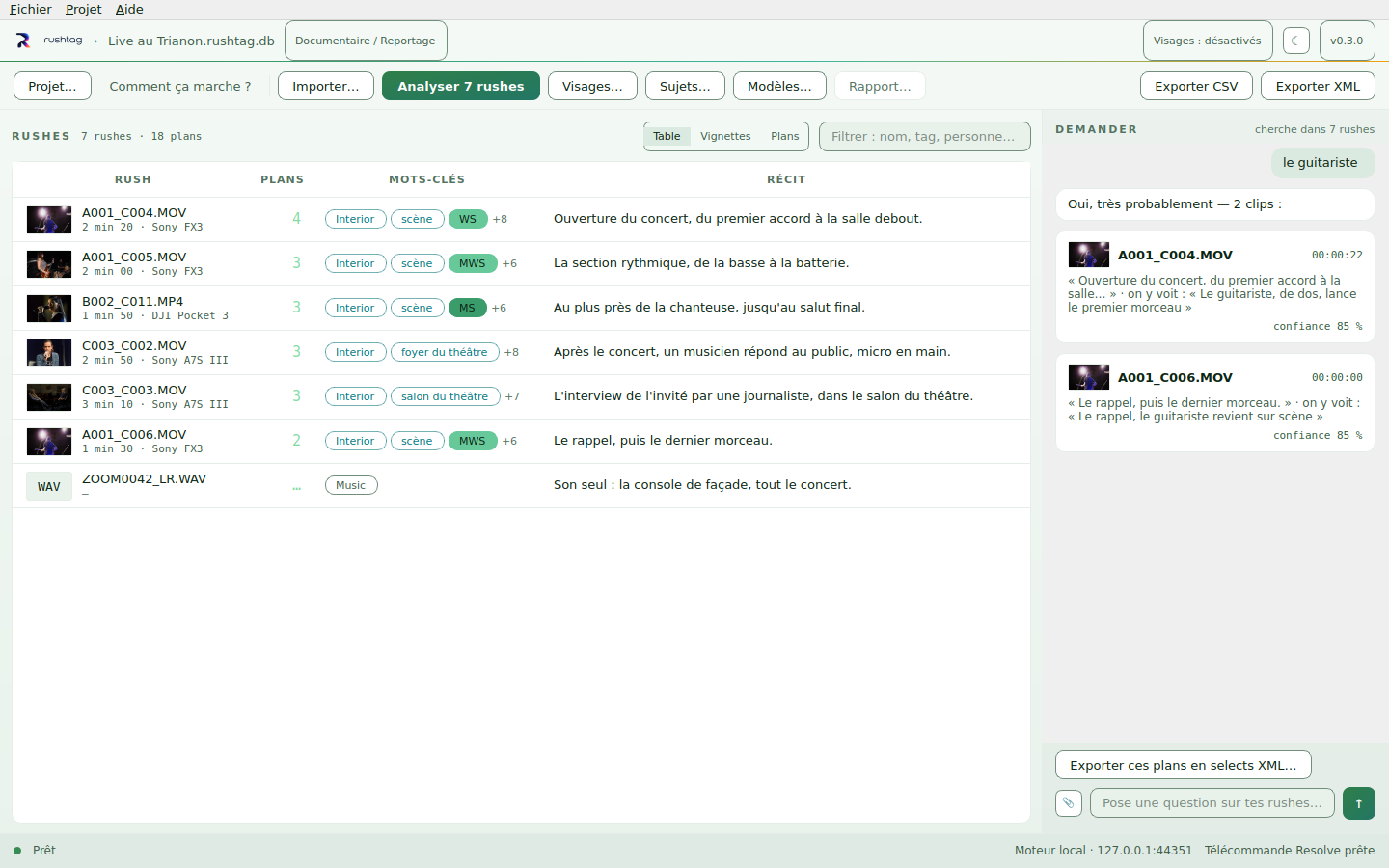
A filmed concert and its interviews, seven rushes. Each one with its summary and its keywords, and on the right a question answered down to the timecode of the shot.
RushTag's interface is in French for now.
What it changes
Your editing software searches the project that is open. RushTag works on a folder of rushes: what was shot, before a project is made, on last year's archive as on this morning's cards.
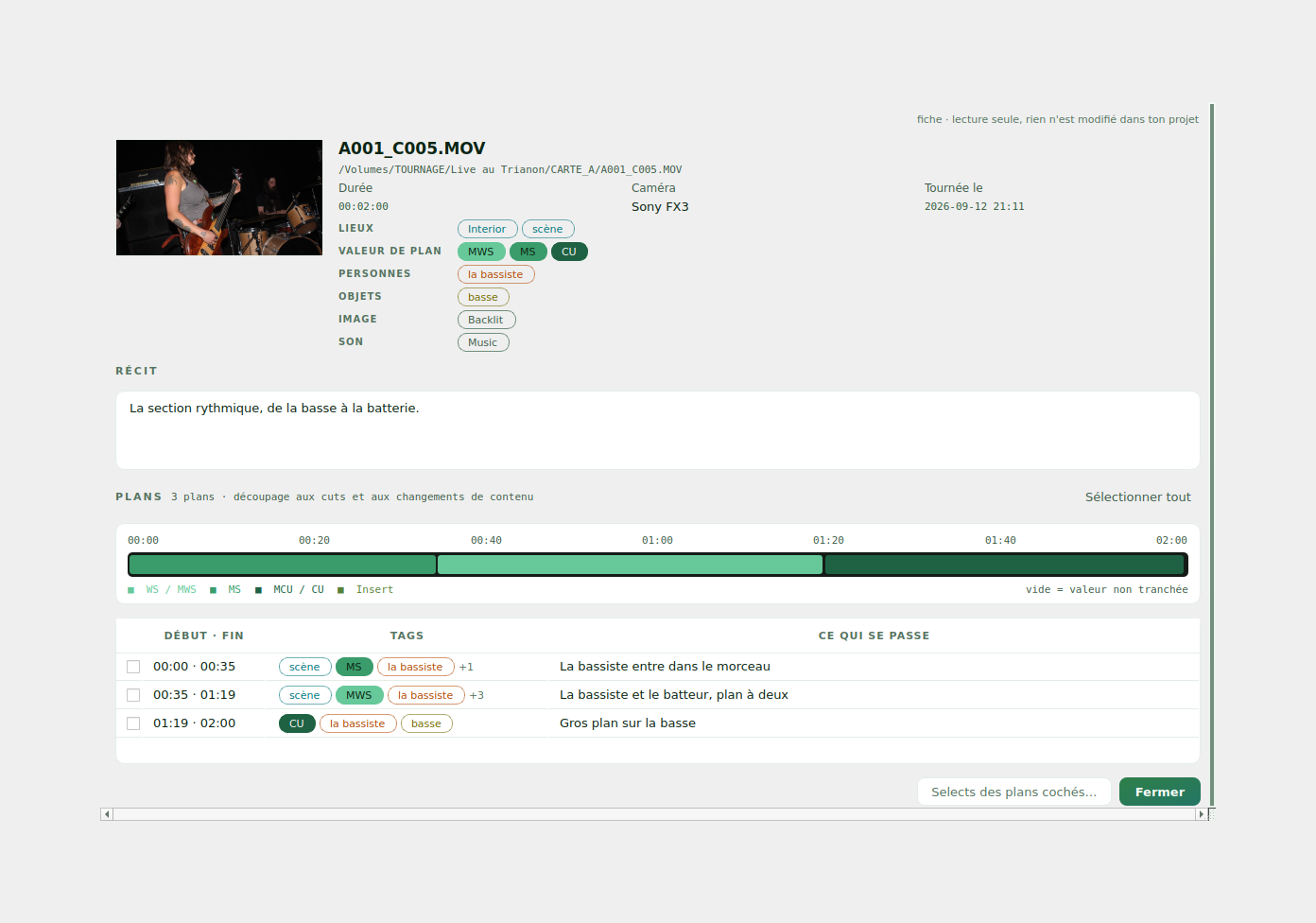
A ten-minute rush is not one shot. RushTag cuts it, and every shot gets its in and out points, its shot size, what happens in it and its tags. A long take is described in thirty-second slices, so an interview is not described like a photograph.
Where, how wide, who, what, when in the event: places, shot sizes, people, objects and moments each have their colour, and the sheet of a rush names every line. A row of tags reads like a breakdown.
How you use it
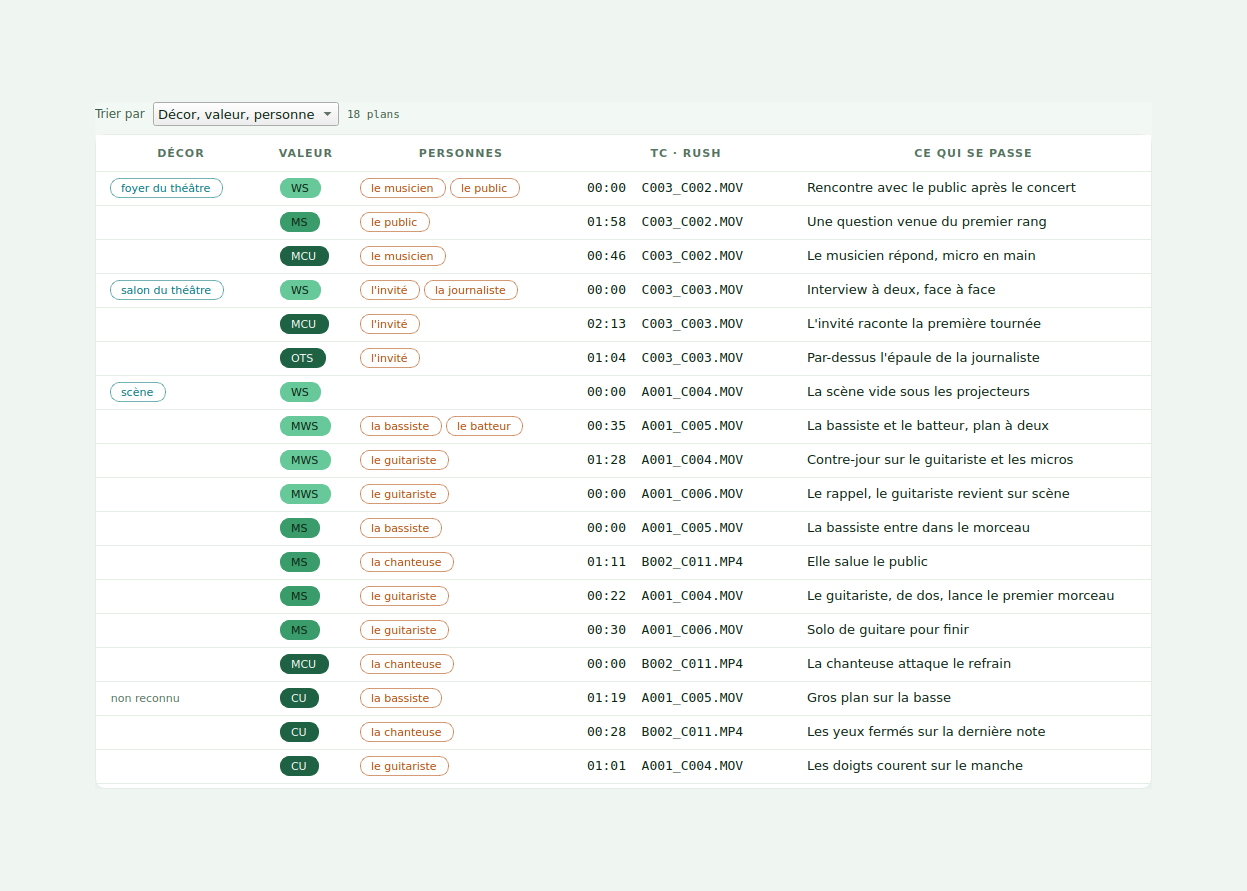
The Plans view sorts every shot of the shoot by setting, then by shot size from wide to tight, then by person. The order of a paper breakdown, built from the shots themselves. Double-click a line and the rush opens on that shot.
The sheet of a rush: its tags by category, its shots on a strip coloured by shot size, and what happens in each. Tick the shots you want and make a selects sequence out of them.
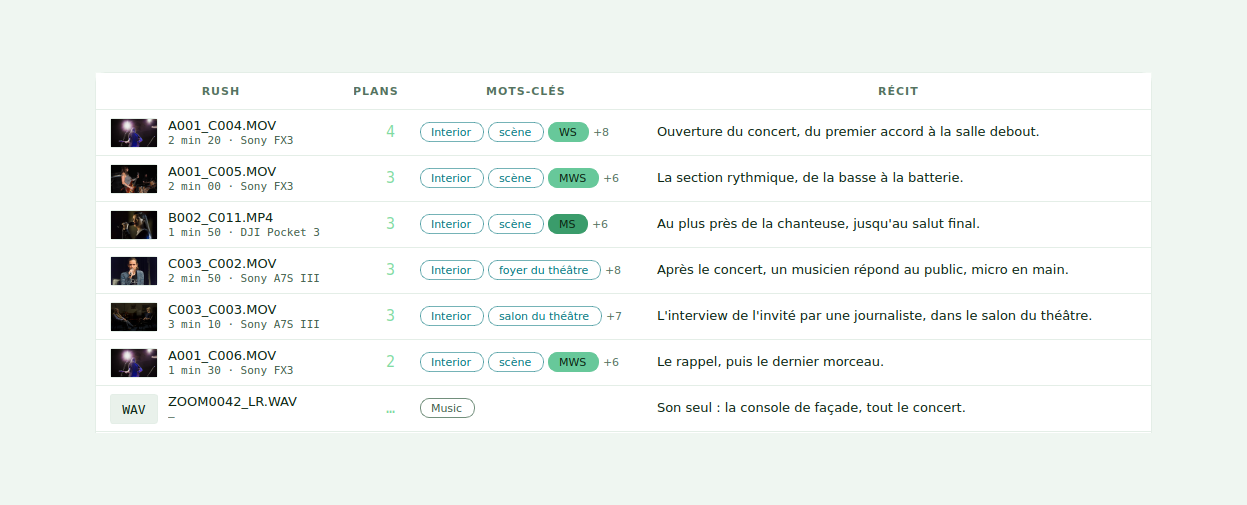
Each rush with its number of shots, its keywords and the summary RushTag wrote from them. Ask a question when you know what you want; the answer gives the shot, the timecode and why, and turns into a sequence.
Into the edit
An FCP7 XML for Premiere Pro and DaVinci Resolve, organised like Synchromatic's: 0_SEQUENCES, 1_RUSHES with one bin per camera, 2_EXT_SOUNDS, and 3_TAGS with one bin per tag. A marker on every shot, its shot size and tags in the name, what happens in the comment. And a CSV for Resolve's own metadata columns.
In Premiere Pro, a panel does it from inside: send the project's rushes for analysis, put a marker on every shot, import the organised project, and search without leaving Premiere. In DaVinci Resolve, the Scripts menu sends the Media Pool for analysis, writes the tags back and builds the synced timelines, and Resolve Studio gets its own panel to search. Both install in one click from Kinelux.
Adobe Premiere ProDaVinci ResolveXML FCP7CSV
The brief
Attach the brief or the script. RushTag lists what it asks for, finds the shot that answers each line and names the lines nothing answers. Then it lays out a rough cut in the brief's order, with the gaps left visible rather than filled at random.
What it will not do
The analysis runs on your Mac: your images and your sound are never sent anywhere. Its models download once, on first launch, and after that everything works offline.
No re-encoding, no renaming, nothing written next to your rushes. What RushTag knows stays in its project, and what goes into your edit is a file you choose to import.
Recognising who is who is off by default, project by project. When you turn it on, the faces stay in that project and go nowhere else, not even to the other two tools.
Requirements · macOS 13.5 Ventura or later, on a Mac with Apple Silicon. The analysis models, about 5.5 GB, download once on first launch.
Pricing
One payment, no subscription, no per-project fee. Works on every Mac you own. Every update is free up to version 2.
The suite
All three tools: sort your rushes, line up your cameras, match their colours. One key, and one window everything opens from.
€9.98 less than buying all three separately.
Buy KineluxOr one tool at a time
Your rushes logged shot by shot: setting, shot size, people, action, and all of it carried into your edit.
The other tools can be added later, for their own price.
Buy RushTagLine up several cameras on the sound they recorded, correct their drift, export to Premiere, Resolve and Final Cut.
The other tools can be added later, for their own price.
Buy SynchromaticMatch the colours of two cameras, with the measurement to back it. It opens on its own: drop your rushes and it lines them up on their sound.
Part of Kinelux, alongside RushTag and Synchromatic. The key appears on the confirmation page, and can be emailed back.
Buy LumaSyncPaid through Stripe. Your key is shown right after payment and emailed on request if you lose it.
Apple, the Apple logo and macOS are trademarks of Apple Inc. Final Cut Pro is a trademark of Apple Inc. Adobe Premiere Pro is a trademark of Adobe Inc. DaVinci Resolve is a trademark of Blackmagic Design Pty Ltd. Synchromatic is an independent product and is not affiliated with, endorsed by or sponsored by any of them.